
 By zynmag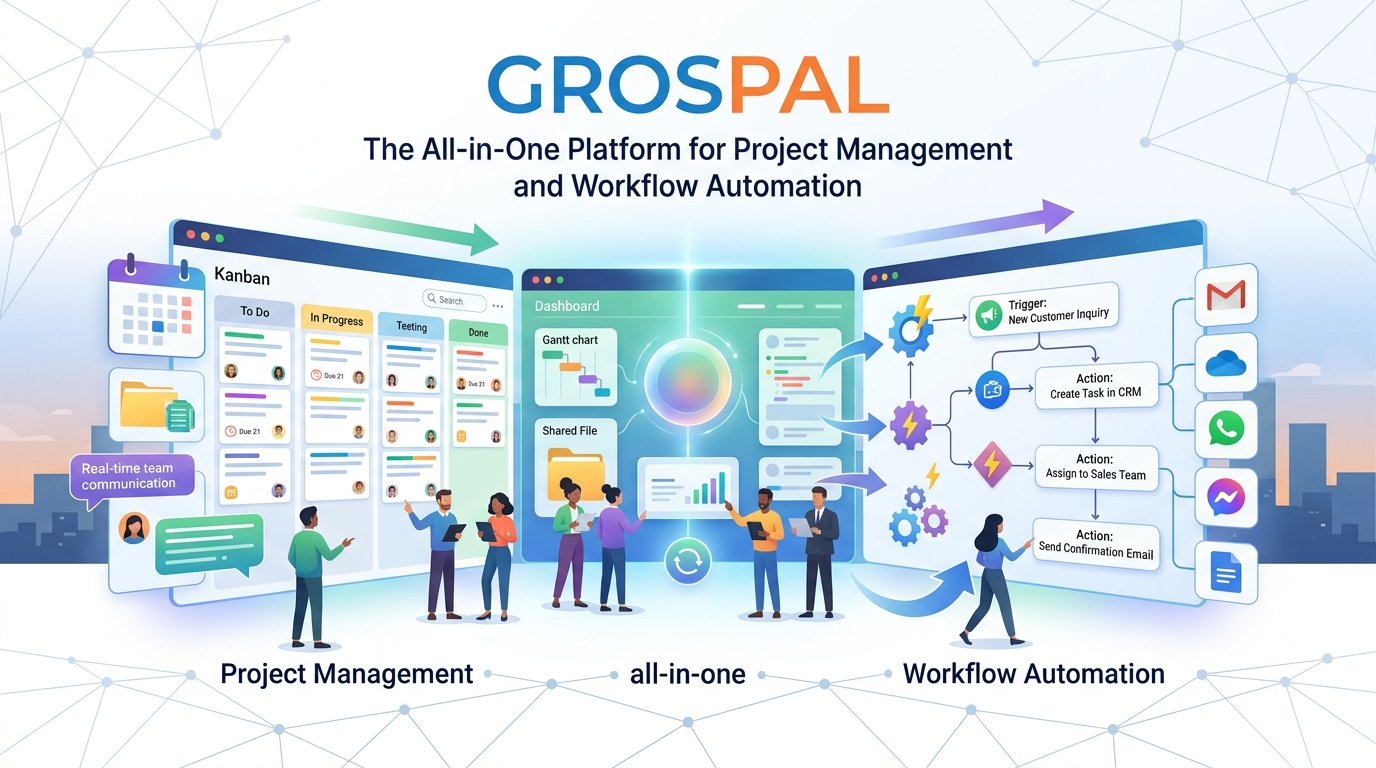
Modern teams juggle dozens of tools every single day, and that fragmentation often slows productivity instead of boosting it. Grospal addresses this exact problem by combining project management, collaboration, and automation into a single workspace. Consequently, teams no longer need to switch between five different apps just to track a deadline or update a client. Instead, they can manage everything from one central dashboard, which saves time and reduces costly errors. This article explores how the platform works, why it matters, and what makes it a practical choice for growing organizations.
What Makes an All-in-One Workspace Necessary
Businesses today rely on a patchwork of software: one app for tasks, another for messaging, a third for file storage, and yet another for reporting. As a result, information gets scattered across systems that rarely talk to each other. Teams waste hours each week just hunting for the right document or the latest task update. Furthermore, this constant app-switching increases the risk of miscommunication, since updates in one tool don’t automatically appear in another. Small and mid-sized companies feel this pain most acutely, because they often lack dedicated IT staff to manage complex software stacks. Therefore, a unified system that consolidates these functions becomes not just convenient but genuinely necessary for sustainable growth.
Core Features That Support Daily Operations
A workspace built around project management and workflow automation needs to handle several jobs at once, and it must handle them well. Task boards let teams break large projects into manageable pieces, assign owners, and set clear deadlines. Meanwhile, real-time collaboration tools allow colleagues to comment, share files, and update progress without leaving the platform. Automated reminders reduce the mental load of tracking recurring tasks, since the system handles the follow-up instead of a person. Additionally, built-in analytics dashboards give managers a clear view of where bottlenecks are forming before they become serious problems. Together, these features create a workspace where teams spend less time managing tools and more time actually finishing work.
Task and Project Tracking
Every team needs a reliable way to see what’s due, who owns it, and how much progress has been made. Visual boards make this information immediately clear, so nobody has to dig through email threads to find an answer. Team members can create tasks, set priorities, and update statuses with just a few clicks. As a result, project managers gain visibility into deadlines and workloads without constantly chasing status updates. This kind of transparency also builds accountability, since everyone can see exactly what’s expected of them and by when.
Workflow Automation
Repetitive manual work drains energy and invites mistakes, especially when teams handle the same processes over and over. Automation tools remove much of that burden by triggering actions automatically based on predefined rules. For instance, a completed task might automatically notify a manager or move a project to its next stage. Consequently, teams spend far less time on administrative busywork and more time on tasks that actually require human judgment. Over time, these small efficiencies add up to significant time savings across an entire organization.
Team Collaboration Tools
Collaboration sits at the center of any successful project, and scattered communication tends to undermine even well-planned initiatives. Built-in messaging, file sharing, and comment threads keep conversations tied directly to the relevant task or project. This context-driven approach prevents important details from getting lost in generic chat channels. Moreover, when discussions live next to the actual work, new team members can catch up on project history much faster. Ultimately, this reduces the friction that often comes with onboarding or cross-department coordination.
How Businesses Benefit From Consolidation
Combining multiple functions into one platform delivers benefits that go well beyond simple convenience. First, it reduces software costs, since companies no longer pay for five or six separate subscriptions that each cover only part of their needs. Second, it simplifies training, because employees learn one interface instead of memorizing workflows across multiple disconnected tools. Third, it improves data consistency, since information doesn’t need to be manually transferred between systems that don’t naturally integrate. As a result, decision-makers get a clearer, more accurate picture of how projects and teams are actually performing. Finally, consolidation tends to improve morale, since employees spend less time fighting with software and more time doing meaningful work.
Cost Efficiency for Growing Teams
Software costs can spiral quickly once a company starts paying for separate CRM, project management, and analytics tools. Each additional subscription adds not only a financial cost but also an administrative burden tied to managing logins and permissions. By contrast, a consolidated platform lets teams access everything they need through a single subscription. Therefore, budget-conscious startups and small businesses can access enterprise-level functionality without the enterprise-level price tag. This cost advantage becomes especially valuable as teams scale and add new members who all need access to the same tools.
Improved Visibility Across Projects
When information lives in multiple disconnected systems, leaders often struggle to get a complete picture of how work is actually progressing. A unified dashboard solves this by pulling task status, team activity, and project timelines into one place. Consequently, managers can spot delays or resource conflicts early, before they escalate into larger problems. This visibility also helps with resource planning, since leaders can see exactly which teams are overloaded and which have capacity for new work. In short, better visibility leads directly to better, faster decision-making across the organization.
Who Benefits Most From This Kind of Platform
Startups, agencies, and growing enterprises all face similar operational challenges, even though their specific needs differ somewhat. Startups often need an affordable system that can scale alongside rapid, unpredictable growth. Agencies, on the other hand, typically manage multiple clients simultaneously and need strong organizational tools to keep projects separate and on track. Meanwhile, larger enterprises benefit from the reporting and analytics capabilities that help coordinate work across many departments. Regardless of company size, though, every team benefits from reduced tool sprawl and clearer communication. Therefore, this type of platform tends to appeal to a genuinely wide range of organizations, not just one specific niche.
Startups and Small Teams
Early-stage companies rarely have the budget or bandwidth to manage a complex software stack. Instead, they need something simple enough to set up quickly but powerful enough to support real operational needs. A consolidated workspace gives small teams professional-grade project management without demanding a steep learning curve. As the company grows, the same system can typically scale to support more users and more complex workflows. This flexibility matters enormously for founders who can’t predict exactly how quickly their team will expand.
Agencies and Client-Facing Businesses
Agencies juggle multiple clients, multiple deadlines, and multiple communication threads all at once, which creates real organizational pressure. A platform that combines project tracking with client communication tools helps keep everything properly separated and organized. Account managers can track deliverables for each client without mixing up tasks between different accounts. Additionally, having a single source of truth for client history reduces the risk of dropped deadlines or forgotten commitments. This organizational clarity often becomes a genuine competitive advantage for agencies competing on responsiveness and reliability.
Practical Considerations Before Adopting a New Platform
Switching to a new system always involves some transition period, so it helps to plan the move carefully. Teams should first map out their existing workflows to understand which processes genuinely need automation and which don’t. Next, it’s worth testing how well the new platform integrates with tools the company already relies on daily. Data migration also deserves careful attention, since moving tasks, files, and project history incorrectly can create confusion early on. Finally, teams should budget time for training, even with an intuitive interface, since habits around old tools can be hard to break. Taking these steps seriously tends to make the transition smoother and reduces resistance from team members.
Evaluating Integration Needs
Very few companies operate in complete isolation from other software, so integration capability matters quite a bit. Before adopting any new system, teams should check whether it connects smoothly with existing accounting, communication, or storage tools. Strong integration reduces the need for manual data entry and keeps information consistent across the entire tech stack. Otherwise, teams risk recreating the same fragmentation problem the new platform was meant to solve in the first place. Therefore, integration testing deserves attention early in the evaluation process, not as an afterthought.
Planning for Onboarding
Even the most intuitive software still requires some adjustment period for a team used to older tools. Leaders should set realistic expectations and allow a few weeks for staff to become fully comfortable with new workflows. Providing quick reference guides or short training sessions can meaningfully speed up this adjustment period. Additionally, appointing an internal champion who understands the system well can help answer questions as they come up. As a result, the whole team adapts faster, and productivity gains show up sooner rather than later.
Final Thoughts
Consolidating project management, collaboration, and automation into one workspace solves a real and common operational headache. Businesses save money, reduce administrative overhead, and gain clearer visibility into how their teams are actually performing. Grospal represents one example of this broader shift toward unified, all-in-one business platforms designed for modern teams. Ultimately, the right choice depends on a company’s specific workflows, budget, and growth plans, so evaluating options carefully still matters. Teams that take the time to plan their transition thoughtfully tend to see the biggest long-term benefits from making the switch.